The restaurant tech stack: software you need (2026)
Somewhere along the way you ended up with nine logins that do not talk. This maps the restaurant tech stack layer by layer, and what a dozen point tools really cost.

Building, generating, printing and testing a QR menu, plus static codes versus QR ordering

Short answer: to make a free QR code menu, put your menu online as a mobile-friendly web page (or a clean PDF), paste that link into a free QR generator like QR Code Monkey or Canva, download it as an SVG or high-resolution PNG, and print it on your tables. That truly costs nothing and takes about ten minutes. But be clear-eyed about what you built: a free static QR only opens the menu, it is a dead end where guests still flag a server and pay the old way. If you want a scan to become an order and a payment at the table, that is QR ordering (a dynamic, live menu), which is a different and more powerful tool.
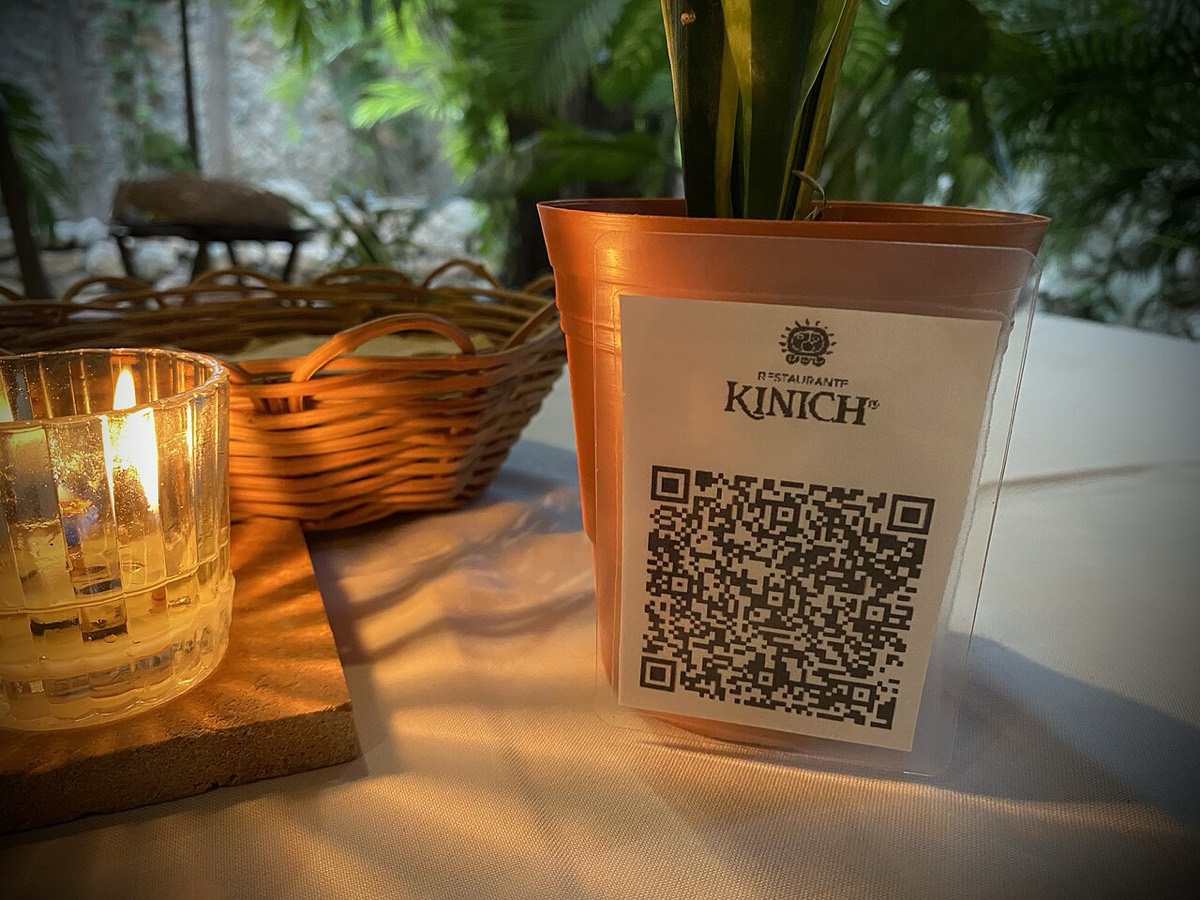
Before the steps, understand the fork in the road, because it determines your cost, your flexibility, and whether you can ever take orders. There are two kinds of QR code, and marketing pages love to blur them.
A static QR code has your destination baked directly into the black-and-white pattern. Scan it and the phone reads the URL straight off the code. It is free, it never expires, there is no scan limit, and nobody can switch it off. The trade-off: it is frozen. If the link it points to ever changes, the printed code is scrap. It also cannot count scans or do anything clever, because there is no middle layer to do the counting.
A dynamic QR code encodes a short redirect link that you control. The code stays the same forever, but you can repoint that redirect to a new destination whenever you like. That single difference unlocks three things: you can update where the code goes without reprinting, you can track how many people scan, and you can point it at a live, interactive menu instead of a flat document. Dynamic codes are what QR ordering systems (Plattr Air among them) run on. They usually sit behind a paid tool or platform.
| Feature | Static QR (free) | Dynamic QR ordering |
|---|---|---|
| Cost | Free forever | Free to start, low per-order fees from 2.5% |
| What a scan opens | A PDF or web-page menu | A live menu with a cart and checkout |
| Can guests order and pay | No, they still flag a server | Yes, order and pay at the table |
| Editable after printing | No, reprint to change | Yes, repoint or update anytime |
| Tracks scans and data | No | Yes, scans, popular items, customer list |
| Expires or can break | Only if the linked page moves | Managed and kept live for you |
| Best for | Getting started fast, tiny menus | Table service, higher covers, less staff |
Here is the honest takeaway before you spend a cent: a free static QR menu is a perfectly good place to start. If you run a small cafe, a market stall, or a bar where the menu rarely changes, it may be all you ever need. Do not let anyone shame you into a subscription on day one. Upgrade to QR ordering when the maths works, which we get to below.
The QR code is the easy 10 percent. What sits behind it is what actually matters, because a beautiful code that opens a slow, pinch-to-zoom PDF is worse than a paper menu. Decide what the scan should open.
A hosted web page is the right destination in almost every case. It loads fast, reflows to fit any screen, needs no zooming, and, crucially, you can edit it without touching the printed code. If you already have a website, an online menu page or storefront gives you a clean link to point at. This is also the only path that can later grow into ordering. Good menu structure carries over here: clear sections, short honest descriptions, and readable prices. Our guides on restaurant menu design and how to write menu descriptions apply just as much on a phone as on paper.
You can point the code at a PDF hosted online. It is fast to set up if you already have a print menu file. The problems are real: PDFs are built for A4 paper, so on a phone they open tiny and force pinching and zooming, they can be slow on a weak signal, and every price change means re-exporting and re-uploading the file. If you go this route, at least export a portrait, single-column, phone-sized PDF rather than dumping your print artwork on people. Treat a PDF as a stopgap, not a destination.
Because a static code cannot be edited, the URL it points to must never move. Do not link to a file buried in a cloud-drive share that could be renamed, and do not use a temporary preview link. Use a permanent page on your own site or menu tool. If you cannot guarantee the link will stay put, that alone is a strong reason to use a dynamic code, where the destination is under your control.
With your link ready, making the code takes two minutes. Any of these free tools work, and all of them can produce a static code you own outright:
A few generation rules that save reprints. Download as SVG (or EPS) if you can, because vector art stays razor-sharp at any print size; if you only get PNG, choose the largest resolution offered, at least 1000 by 1000 pixels. Keep good contrast: dark code on a light background scans best, and inverting it (light code on dark) breaks many cameras, so test before you commit. If you add a logo in the centre, keep it small, under about 30 percent of the code area, so the error correction still resolves.
One warning worth repeating: some generators quietly route even a static-looking code through their own tracking domain and require a live account. When that free trial ends, the redirect dies and every printed code goes dark. To be safe, generate from the raw URL, then scan the downloaded image yourself and confirm it opens your menu directly, not a generator landing page.
Placement decides whether the code gets used. It needs to be where hands and eyes naturally land, at a size the camera can read, with a one-line instruction so nobody has to guess.
| Where | Why it works | Size guidance |
|---|---|---|
| Table tent or centre of table | Right in front of seated guests, the highest-scan spot | At least 2×2 cm, ideally 3×3 cm |
| Printed on the menu or place mat | Guests already pick it up | 2×2 cm or larger, near the top |
| Window or front door | Lets passers-by see the menu before entering | 8–10 cm, readable from the footpath |
| Counter or till | Perfect for takeaway and queue ordering | 3–5 cm at arm-scanning distance |
| Wall poster or A-frame | Grabs a waiting or seated crowd | 10 cm or larger for 1–2 m away |
| Receipt or takeaway bag | Drives repeat and review scans later | 2×2 cm minimum, clear quiet zone |
Sizing rule of thumb: allow roughly one centimetre of printed code for every ten centimetres of scanning distance. A table tent read from 20 to 30 centimetres is happy at 2 to 3 centimetres; a poster read from a metre or two needs 10 centimetres or more. Always leave a quiet zone, a margin of blank space at least the width of four code modules on every side, so the camera can find the edges. And add a short call to action next to it, something plain like Scan for our menu, or Scan to order and pay, so people know what will happen.
Material matters too. Laminate or use a printed acrylic stand so the code survives spills and wiping; a coffee-ring across a paper code can stop it scanning. Avoid placing it behind glare-prone glass, and never shrink it to fit a cramped corner. When in doubt, go bigger.
Testing takes five minutes and prevents the single most expensive QR mistake: printing a batch that does not work. Do all of this before the full print run.
If any scan fails, the usual culprits are too little contrast, a logo that is too big, a missing quiet zone, or a code printed too small. Fix and re-test before committing to the run.
A static QR menu shows the food. QR ordering lets the table act on it. With QR ordering, the scan opens a live menu where guests add items to a cart, pay by card or digital wallet, and the order drops straight to your kitchen or counter with no server relay in between. The same technology powers pay-at-table, order-ahead, and queue-busting takeaway.
Why it is worth considering. It cuts the walk-back-and-forth, so a smaller team covers more tables. It removes the awkward wait to catch a server, which tends to lift average spend because a second round is one tap away. It updates instantly, so an 86ed dish or a new special is live the moment you change it, no reprint. And it captures data you otherwise lose: which items sell, and a customer list you own rather than one the delivery apps keep.
Now the honest part about cost, because this is where the food industry gets misled. QR ordering is not free the way a static code is, but it is dramatically cheaper than the delivery marketplaces. Plattr publishes this blog, so treat this as an informed but interested view; the numbers below are set up to be useful whichever way you go. Direct QR ordering through a tool like Plattr Air starts free and charges low per-order fees from 2.5 percent (region-dependent). Order through Uber Eats or DoorDash and the marketplace commission runs 15 to 30 percent of every order. On a busy week that gap is the difference between a viable margin and a donation.
A worked example. Say a table spends 60 dollars. Through a delivery marketplace at, say, 25 percent, the app keeps 15 dollars and you net 45 before your own costs. Through direct QR ordering at 2.5 percent, the platform takes 1.50 dollars and you keep 58.50. Multiply that across a few thousand dollars of orders a week and direct ordering keeps far more of every dollar in your till. That is the true story worth telling: not that anything is free, but that owning the order beats renting it from a marketplace. If you are weighing platforms, our roundup of the best QR ordering systems lays out the fit tests.
When NOT to upgrade. If your menu almost never changes, your covers are low, and guests are happy ordering at the counter, a free static QR is genuinely fine and QR ordering is overkill. Upgrade when the volume, the table turns, or the staffing pinch makes ordering pay for itself, not because a sales page told you to.
You can brand a QR code, but function beats flair. Keep strong contrast, keep any logo small, and keep the quiet zone. If you tint the code, use a dark colour on a light field, and always test the branded version on real phones before printing. A pretty code nobody can scan is just decoration.
A QR-only menu excludes anyone who cannot or will not scan: guests with older phones, low vision, a dead battery, or no data. Always keep a few printed menus on hand as a fallback and offer one without making a fuss. If the destination is a web page, make sure it is genuinely accessible: real selectable text rather than an image of a menu, adequate font size and colour contrast, and screen-reader-friendly headings. A PDF that is a flat scan of your menu fails every one of these tests, which is one more reason a proper web page beats a PDF.
The fastest way to make a menu look neglected is a QR that opens last season prices. With a static code pointing at a live web page, you update the page and the code keeps working. With a static code pointing at a PDF, every change means re-exporting and re-uploading, and it is easy to forget. With QR ordering, edits are instant and the code never has to change. Build the update habit into your routine, or better, remove the friction by using a live destination so there is nothing to reprint.
Get the destination and the print right and a QR menu is a quiet win: less paper, faster updates, and, if you choose QR ordering, a scan that becomes a paid order. If you are still shaping the menu itself, pair this with menu engineering and pricing so the thing behind the code actually sells.
How do I make a QR code menu for free?
Put your menu online as a web page or PDF, then paste that link into a free QR generator (QR Code Monkey, the free tier of QR Tiger, or Canva) and download the image as an SVG or high-resolution PNG. Print it or display it on a table tent. The whole thing costs nothing and takes about ten minutes. The catch is that a free static code only opens the menu: guests still order and pay the usual way.
Is a static QR code menu really free forever?
Yes, if you generate it correctly. A static QR encodes your URL directly into the pattern, so it never expires and there is no monthly fee or scan limit. Avoid generators that force you into a free trial and then redirect the code through their own paid tracking link, because when that subscription lapses the code can go dead. Generate the code from the raw link and you own it outright.
What is the difference between a static and a dynamic QR menu?
A static QR hard-codes one fixed URL and cannot be edited once printed, so if the link changes the printed code is useless. A dynamic QR points to a short redirect that you can repoint anytime, which lets you update the destination, track scans, and swap the menu without reprinting. Dynamic codes usually need a paid tool. QR ordering platforms use dynamic codes so a scan can open a live, orderable menu.
Can customers order and pay from a QR code menu?
Not from a plain static QR, which only displays the menu. To let guests order and pay at the table you need QR ordering: the code opens an interactive menu where they add items to a cart, pay by card or wallet, and the order drops straight to your kitchen. Plattr Air does exactly this and is free to start, with low per-order fees from 2.5 percent rather than the 15 to 30 percent the delivery apps take.
How big should a QR code be on a table or poster?
For a table tent or menu card, print the code at least 2 by 2 centimetres (about 0.8 inch); for a wall poster read from 1 to 2 metres away, aim for 8 to 10 centimetres or larger. A safe rule is roughly one centimetre of code for every ten centimetres of scanning distance. Keep a clear quiet zone of blank space around all four sides so phone cameras lock on fast.
Do QR code menus still work in 2026?
Yes. Every current phone camera scans QR codes natively with no app, and diners are used to them from the pandemic years. The trick is doing them well: a fast-loading mobile page, a printed fallback for anyone who cannot or will not scan, and a menu you actually keep updated. Done badly, a QR that opens a slow PDF frustrates people; done well, it saves paper and, with QR ordering, turns the scan into a paid order.
Storefront, orders, kitchen, CRM and marketing in one place. Start free in a couple of minutes, no card needed. Pop in your email and we'll take you straight to setup.
Somewhere along the way you ended up with nine logins that do not talk. This maps the restaurant tech stack layer by layer, and what a dozen point tools really cost.
Average order value is total revenue divided by number of orders. Here is how to calculate it, why it beats chasing traffic for margin, and how to raise it.
Catering looks like cooking, and it is mostly logistics and paperwork. This walks you from niche and licensing through kitchen, costs, pricing and first clients.
Storefront, POS, kitchen, CRM, marketing. One login, one bill. NZ$1/month for the first 3 months.
Start free trial