How to make a QR code menu (free, 2026)
Reprinting menus for one price change gets old fast. Build a QR code menu free in about ten minutes, and see where a static code stops and QR ordering begins.

The layers every food business runs on, and the 2026 call: point tools or one platform

Short answer: a food business runs on nine or ten software layers: a POS, online ordering plus delivery, payments, menu and inventory, loyalty and CRM, email and SMS marketing, reservations or a waitlist, staff rostering, reporting, and a website. You do not need all of them on day one. The real 2026 decision is not which brand to buy in each layer, it is whether to stitch together many point tools or run one all-in-one platform where the layers already share a single customer list, menu, and bill. Both are valid; this guide walks the layers, then makes the trade-off honest.
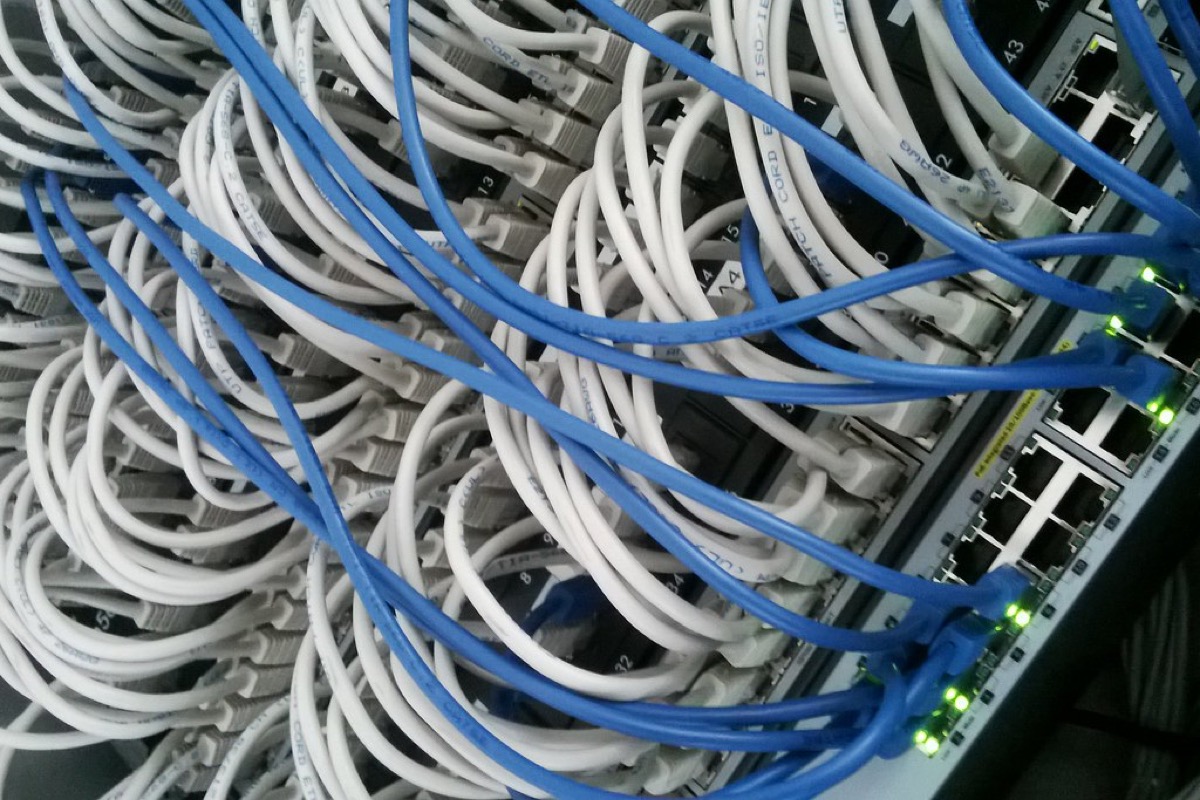
A tech stack is just the set of software systems your business relies on to take orders, take money, run the kitchen, and market to customers. In hospitality the stack has grown from a single till into a dozen jobs, because customers now order across counter, phone, web, and delivery apps, and because the data those channels create is where your marketing and reporting live.
The useful way to think about it is in layers. Each layer does one job. What matters is not only how good each layer is on its own, but how well the layers pass data to each other. A great POS that cannot share its menu with your online store means you maintain two menus by hand. That gap, repeated across a stack, is where most of the hidden cost lives.
Here is every layer, what it does, what "good" looks like, and rough cost framing. Treat all prices as indicative 2026 tiers and check each provider's current pricing before you commit; hospitality software changes its rates often.
The POS rings up in-person orders, takes payment, and sends tickets to the kitchen. Good looks like fast order entry, table or counter modes that fit your service, offline resilience if the internet drops, and reporting you can actually read. Watch the total cost, not the headline: software runs from a free tier up to roughly $69–165 a month depending on the vendor and plan, but processing fees and any hardware or contract lock-in usually dwarf the subscription. Square for Restaurants and Toast are the common reference points here; both have free or low starter plans, and both tie you to their own processing.
This is your own digital storefront for pickup, delivery, and dine-in orders, plus how you handle the delivery marketplaces. Good looks like a mobile-first ordering flow, a menu that mirrors your in-store one, and low per-order fees on direct orders. This is where the money leaks: marketplace apps charge heavy commission (DoorDash tiers around 15%, 25%, and 30%, Uber Eats around 20% to 30% after its March 2026 rise), while direct ordering through your own site costs a fraction of that. Plattr's direct online ordering starts from 2.5% per order (region-dependent), which is far below the 15% to 30% the delivery apps take. The honest play is to keep the marketplaces for discovery but drive repeat customers to your own cheaper channel.
Every order eventually settles through a payment processor. A typical restaurant effective rate lands around 2.3% to 3.5%. That rate is built from interchange (roughly 1.3% to 2%, set by the card networks and non-negotiable), a small network assessment, and the processor markup, which is the only part anyone can negotiate. Keyed and online payments cost more than a dipped or tapped card in person. Good looks like transparent, blended pricing you can read on a statement, and no penalty for the online channel. Watch for POS platforms that lock you to their processor, which removes your ability to shop the markup.
This layer holds your items, prices, modifiers, and stock counts, and ideally tracks food cost. Good looks like one menu that feeds every channel (POS, online, delivery), item-level costing so you can hold food cost in the healthy 28% to 35% band, and stock counts that decrement as you sell. Watch-out: maintaining separate menus in your POS and your online store is the most common duplicate-data trap in the whole stack. If a price change means editing three places, you will get them out of sync.
Loyalty rewards repeat visits; CRM stores who your customers are and what they buy. Good looks like points or visit tracking that works across in-person and online orders, plus a customer list you own and can export. Cost framing: POS-native loyalty (Square around $49 a month per location, Toast around $185 a month bundled with marketing) is cheaper and faster to run but locked to that POS; standalone loyalty is deeper but pricier and often multi-year. The watch-out that matters most is data ownership. Some delivery-app and reservation tools keep the customer relationship; make sure the list is yours. Our guide to restaurant loyalty programs goes deeper on the trade-offs.
This is how you bring customers back: promotions, new-item announcements, win-back messages. Good looks like segmentation (lapsed customers, top spenders), templates that match your brand, and lists that sync automatically from your orders rather than a manual export. SMS is worth having because open rates sit around 90% to 98%, far above email. Watch-out: if your marketing tool cannot see your order and loyalty data, your segments will be stale and generic.
For table-service venues, this manages bookings and the front-of-house queue. Good looks like online booking, a floor or table view, and guest data you keep. Cost framing varies widely: OpenTable runs around $149 to $499 a month plus $1.00 to $1.50 per network cover, Resy is a flat roughly $249 to $399 a month with no per-cover, Tock adds a percentage on prepaid, and SevenRooms sits at the enterprise end. Note Resy and Tock are merging under Amex in 2026, so check current terms. If you are counter-service or takeaway-led, you can skip this layer entirely.
Staff scheduling, shift swaps, and labour-cost tracking. Good looks like a schedule staff can see on their phone, labour-cost visibility against sales, and ideally a link to your POS so you can compare rostered hours to actual revenue. Keep labour in the 25% to 35% of sales range and prime cost (food plus labour) in the 55% to 65% band. Watch-out: a roster tool that does not see your sales cannot tell you whether you are overstaffed on a slow Tuesday.
This is where you see whether the business is working: sales by day and channel, best and worst sellers, food and labour cost, and trends over time. Good looks like one dashboard that pulls from every channel, not four separate reports you reconcile in a spreadsheet. This is the layer that suffers most from a fragmented stack: if your counter sales, online sales, and delivery sales live in three systems, you never see one true number without manual work.
Your website is where customers find your hours, menu, and location, and increasingly where they order. Good looks like mobile-first, fast, with your live menu and an order button that goes to your own low-fee ordering, not a link off to a delivery app. Cost framing: a simple site can be cheap or free with a builder, but the value is in connecting it to the rest of your stack. Our roundup of the best restaurant website builders covers what to look for.
One table, every layer, the job it does, and the main thing to watch. Use it as a checklist when you audit what you already run.
| Layer | Its job | Watch-outs |
|---|---|---|
| POS | Ring up and take in-person payment | Processor lock-in; hardware and contract costs beyond the monthly fee |
| Online ordering and delivery | Take direct orders; manage marketplaces | Marketplace commission of 15% to 30%; keep repeat orders on your own low-fee channel |
| Payments | Settle every card transaction | Negotiable markup only; keyed and online cost more; read the blended rate |
| Menu and inventory | Hold items, prices, modifiers, stock | Duplicate menus across POS and online drifting out of sync |
| Loyalty and CRM | Reward repeats; store customer data | Data ownership; POS-native is cheaper but locked in |
| Email and SMS marketing | Bring customers back | Stale segments if it cannot see order and loyalty data |
| Reservations and waitlist | Manage bookings and the queue | Per-cover fees; guest-data ownership; skip if counter-service |
| Rostering and labour | Schedule staff; track labour cost | Cannot optimise staffing without sales visibility |
| Reporting | Show sales, cost, and trends | One true number is impossible across fragmented systems |
| Website | Be found; drive direct orders | Order button should go to your own channel, not a delivery app |
Once you know the layers, the real question is how you assemble them. There are two philosophies, and both are legitimate.
Best-of-breed means you pick the single best tool for each layer: maybe Toast for POS, a specialist loyalty product, a dedicated marketing platform, OpenTable for reservations. Each is excellent at its one job. The strengths are real: depth of features, mature integrations in the popular tools, and the freedom to swap one piece without touching the rest. If you run a high-volume or highly specialised venue, a purpose-built tool in a critical layer can genuinely outperform a generalist.
All-in-one means one platform covers most or all of the layers under a single login. You trade some depth in any given layer for one customer list, one menu, one bill, and one place to look. The strengths are also real: no reconciliation across systems, data that is unified by default, and usually a lower combined cost than a stack of separate subscriptions. The honest trade-off is that a generalist may not match a specialist tool in its single strongest feature.
The deciding factor is usually the cost of the seams. Every boundary between two tools is a place where data has to sync, or be re-entered, or be reconciled. Three or four well-integrated tools are fine. A dozen tools that do not talk to each other is a part-time job in itself, plus a stack of monthly fees. Count both the subscription total and the hours you will spend keeping systems aligned.
| Consideration | Point tools (best-of-breed) | All-in-one platform |
|---|---|---|
| Depth per layer | Deepest; each tool is a specialist | Good; a generalist, not always the deepest |
| Customer and menu data | Split across systems; needs syncing | One source of truth by default |
| Reconciliation effort | High; manual work at every seam | Low; layers already share data |
| Combined monthly cost | Several subscriptions add up | Usually lower as one plan |
| Logins to manage | One per tool | One |
| Swapping a layer | Easy; replace one piece | Tied to the platform |
| Best fit | High-volume or specialised venues | Independents wanting one system |
Plattr publishes this blog, so treat this as an informed but interested view; the layers and trade-offs above are written to be useful whichever way you go. Where Plattr fits is the all-in-one option: around 40 apps under one login, covering ordering, payments, loyalty, marketing, reservations, reporting, and your website, with direct online ordering from 2.5% per order (region-dependent), no proprietary hardware to buy, a customer list you own, and a free tier to start. If your priority is one source of truth and one bill rather than the deepest possible tool in every layer, that is the case for going all-in-one.
Numbers make the trade-off concrete. Take a small cafe doing modest volume that wants POS, online ordering, loyalty, and marketing.
The point-tools route might be: a POS plan around $69 a month, a standalone loyalty tool around $49 a month, a marketing platform around $30 a month, and an online-ordering add-on. Call it roughly $150 or more a month in subscriptions before a single order is placed, plus the owner's time each week exporting the customer list from one tool and importing it into another so the marketing segments are current. That weekly reconciliation is the hidden line item nobody quotes you.
The all-in-one route puts all four layers on one plan with one shared customer list. The subscription total is typically lower, the loyalty and marketing tools already see every order, and there is no export-import chore because the data was never split. You give up the option of picking a specialist loyalty product, but you gain back the reconciliation time and a single true sales number. For an owner-operator whose scarcest resource is hours, that trade usually favours the platform.
You do not buy the whole stack at once. Add layers as volume and pain justify them.
At each stage, the integration question is the same: does this new layer see the data in the layers you already run? A platform that lets you switch layers on as you grow makes this staged approach far simpler than negotiating and wiring up a new separate subscription every time. For the wider view of how these pieces fit, our overview of restaurant management software and our roundup of the best restaurant POS systems are good next reads.
Every food business needs the same nine or ten layers; the choice is how you assemble them. Best-of-breed gives you the deepest tool in each layer and the freedom to swap pieces, and it earns its keep at high volume or where one layer is genuinely specialised. An all-in-one gives you one login, one customer list, one bill, and no reconciliation across seams, which is why it suits most independents. Whichever way you lean, count the cost of the gaps between your tools, start small, and add layers only when your volume justifies them.
What software does a restaurant actually need?
At minimum: a way to take payment (POS or a card reader), a way to take online orders, and a payment processor behind both. As you grow you add menu and inventory tracking, a loyalty and CRM layer, email and SMS marketing, reservations or a waitlist, staff rostering, reporting, and a website. Small operators can start with three or four layers and add the rest as volume justifies the cost.
Is it better to use one all-in-one platform or separate best-of-breed tools?
It depends on your size and how specialised your needs are. Separate tools each do one job very well but leave you reconciling data across systems and paying several subscriptions. An all-in-one trades some depth in any single area for one login, one customer list, and one bill. High-volume or highly specialised venues often keep a best-of-breed piece or two; most independents are better served by a single platform.
How much should a small restaurant spend on software each month?
A lean stack can run from near zero on free tiers plus per-order or per-transaction fees, up to a few hundred dollars a month once you layer POS software, loyalty, marketing, and reservations. The bigger cost is usually processing and delivery-app commission, not the software subscriptions. Add up every fee, not just the headline monthly price, before you compare options.
What is the difference between a POS and online ordering?
A POS (point of sale) rings up orders and takes payment in person, at the counter or table. Online ordering is the digital storefront customers use to order from their phone or laptop for pickup, delivery, or dine-in. Ideally they share one menu and one order feed so kitchen tickets and reports are unified rather than split across two systems.
Do the tools in my stack need to integrate with each other?
Yes, and this is the single most common thing people get wrong. Tools that do not talk to each other force you to re-enter menus, export and import customer lists, and reconcile sales by hand. When you evaluate any tool, check what it connects to natively. If two systems both hold customer or sales data and cannot sync, you have bought yourself ongoing manual work.
Can I start small and add software later?
Yes, and you should. Start with payment, online ordering, and a website, then add loyalty, marketing, reservations, and rostering as your volume and pain points justify each one. Over-buying before you have the order volume to use a tool is a classic early mistake. A platform that lets you switch layers on when you need them makes this staged approach easier than buying separate subscriptions up front.
Storefront, orders, kitchen, CRM and marketing in one place. Start free in a couple of minutes, no card needed. Pop in your email and we'll take you straight to setup.
Reprinting menus for one price change gets old fast. Build a QR code menu free in about ten minutes, and see where a static code stops and QR ordering begins.
Average order value is total revenue divided by number of orders. Here is how to calculate it, why it beats chasing traffic for margin, and how to raise it.
Catering looks like cooking, and it is mostly logistics and paperwork. This walks you from niche and licensing through kitchen, costs, pricing and first clients.
Storefront, POS, kitchen, CRM, marketing. One login, one bill. NZ$1/month for the first 3 months.
Start free trial