How to make a QR code menu (free, 2026)
Reprinting menus for one price change gets old fast. Build a QR code menu free in about ten minutes, and see where a static code stops and QR ordering begins.

How QR code ordering works, what it costs, and the five steps to go live

Short answer: QR code ordering lets your guests scan a code on the table (or a receipt) and order and pay from their own phone, no app to download, no waiting for a server. The fastest way to set it up is an all-in-one that turns your existing menu into a QR-orderable storefront. With Plattr you can be live the same day, low-commission. Here’s exactly how it works, the five steps to go live, what it costs, and the mistakes to avoid.
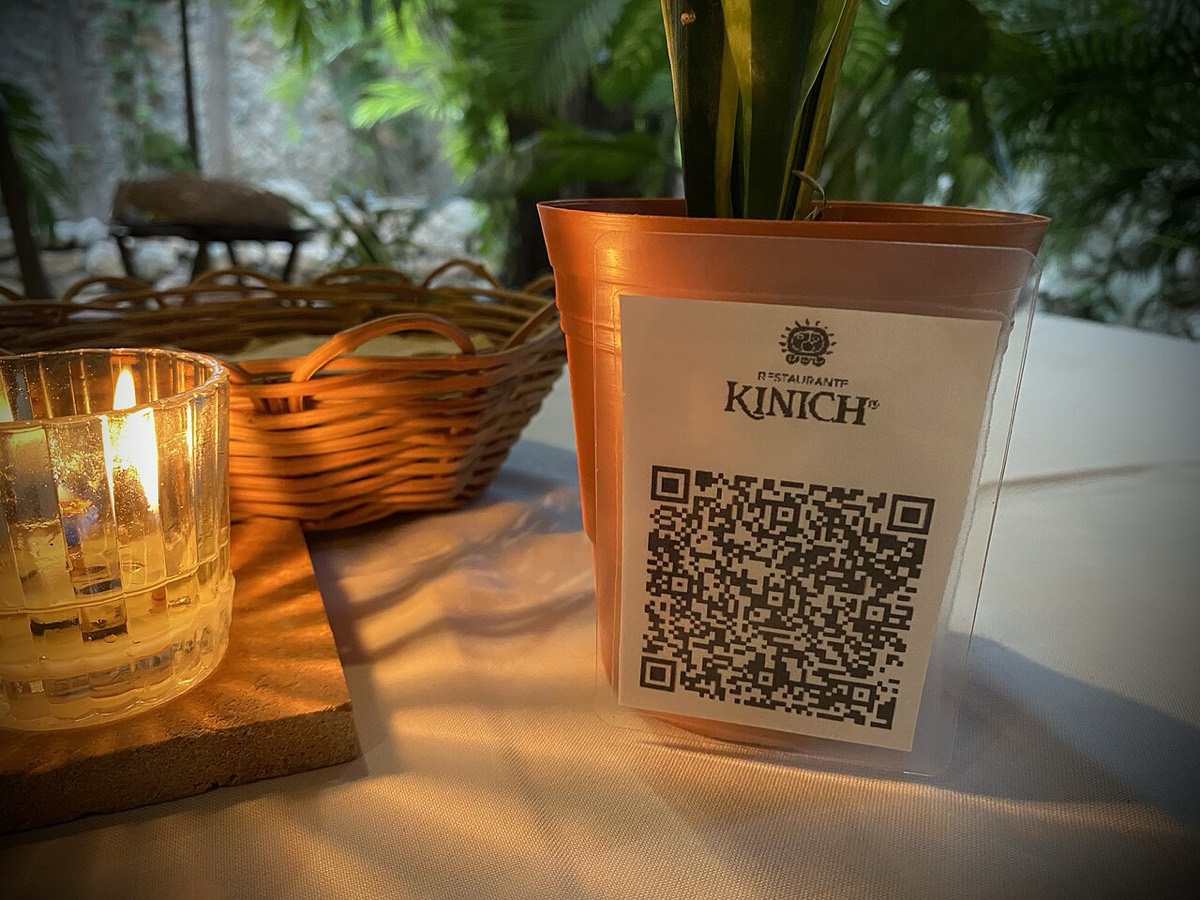
A QR code on the table, counter or receipt links to your mobile menu. The guest scans, browses, orders and pays, then the order drops straight to your kitchen. There are three common flavours:
QR ordering isn’t just convenient. It changes the economics of a table:
Start with a mobile-friendly, payable menu on a web address you control, not a PDF, and not a delivery-app listing. With Plattr your storefront and menu are generated from what you already have, so this is a same-day job, not a project.
Create a QR that points to your menu. For dine-in, use a unique code per table so orders arrive tagged with the table number. Add one to receipts and the counter for pickup and repeat orders too.
Let guests pay on their phone when they order. Paid-upfront ordering means no chasing tabs, fewer walkouts and money in your account immediately, and you only pay a low platform fee (from 2.5%) plus standard card processing, not a 15–30% marketplace cut.
The order should print or display in the kitchen the moment it’s placed, with the table number, in the same flow as the rest of your tickets. With an all-in-one this is automatic; with stitched-together tools, make sure the ordering app actually talks to the kitchen.
Every QR order should add the guest to your customer list so you can follow up with a thank-you, a loyalty reward or an offer. This is the part delivery apps will never give you, and it’s where the long-term money is.
| Stand-alone QR widget | All-in-one (Plattr) | |
|---|---|---|
| Menu + storefront | You build it | Generated from your menu |
| Platform fee on orders | Varies | From 2.5% |
| Connects to kitchen + POS | Often not | Built in |
| Customer list + marketing | No | Built in |
| Time to go live | Days | Same day |
Want the bigger picture on keeping more of every order? Read how to take online orders without paying 30% to delivery apps, or compare the best online ordering systems for restaurants.
The QR itself is easy. Getting it scanned is a design job. A code stuck flat under a menu holder, printed too small, or buried in a wall of small print gets ignored. Treat the table tent as a tiny piece of merchandising: one clear instruction, one code, and a reason to bother.
Print the code at least 3cm by 3cm for a table tent and larger for a wall poster or window, keep a clear quiet zone (blank border) around it, and always add a short line of text like "Scan to order and pay from your table". A code with no context gets far fewer scans than the same code with one plain instruction above it.
Placement matters as much as size. Match the format to how guests sit and move.
| Venue type | Best QR placement | Why |
|---|---|---|
| Full-service dine-in | Table tent plus a sticker on the table edge | Guests are seated and have time to scan |
| Cafe or counter service | Poster at the counter and a tent on each table | Catches both the queue and the seated crowd |
| Bar or high tops | Sticker under a clear resin coaster or table decal | Survives spills and stays put on small surfaces |
| Takeaway and kerbside | Window decal and a sticker on the receipt | Reaches people who never sit down |
For durability, laminate table tents or use a printed acrylic block. Paper curls, stains and tears within a fortnight on a busy table, and a scuffed code that fails to scan trains guests to give up. Order a few spares and swap any code that looks worn.
Once codes are live, measure the share of dine-in orders that come through the QR rather than a staff member. That single number tells you whether the rollout is working. If it stalls below a third in the first few weeks, the problem is almost always signage, wording or staff habit, not the technology.
Use these rough benchmarks to judge where you sit and what to do next.
| QR share of dine-in orders | What it means | Next move |
|---|---|---|
| Under 20% | Guests are not noticing or trusting it | Bigger signage, clearer wording, staff to point it out |
| 20 to 40% | A normal early ramp | Keep prompting, add a first-scan discount |
| 40 to 60% | Healthy, most tables self-serve | Focus staff on upsells and service |
| Over 60% | Strong adoption | Protect it, keep codes clean and menus current |
Small nudges lift the number fast. Train the front of house to say "scan the code on your table whenever you are ready" instead of taking the order by hand. A one-off five or ten percent discount on a guest’s first table scan pays for itself quickly, and a clean digital menu with photos tends to lift the average order too. If you want to push the basket size once guests are ordering themselves, see how to increase average order value.
Do I need special hardware for QR code ordering?
No. QR ordering runs in the guest’s phone browser, they scan, order and pay without downloading anything, and you don’t need tablets or terminals to receive the order. With Plattr it simply appears on your existing devices and prints to the kitchen.
Will customers actually use QR ordering?
Yes, scan-to-order is now normal. The trick is to make it effortless: a clear table number on the stand, a fast mobile menu with photos, and no forced app download or sign-up. When ordering is one scan away, a large share of guests use it.
How much does QR code ordering cost?
It depends on the model. Marketplace-style tools take a big per-order commission; an all-in-one like Plattr charges a flat subscription plus a low per-order fee (from 2.5%, versus 15–30% on the apps), so you keep far more of every order, plus standard card processing.
Does QR ordering replace my POS?
It can sit alongside your POS, or, with an all-in-one like Plattr, be part of the same system, so QR orders, online orders and in-store sales land in one place against one customer record. You don’t end up reconciling three systems at the end of the night.
How big should a QR code be to scan reliably?
For a table tent, print the code at least 3cm by 3cm; for a wall poster or window decal, go larger so it reads from a metre or two away. Always leave a blank quiet zone around the code and keep it in sharp focus, because a cramped or blurry code is the most common reason a scan fails.
Should I use one QR code per table or one for the whole venue?
Use a separate code per table if you want orders to arrive tagged with the table number, which lets staff run food to the right seat without asking. A single shared code is simpler to print and fine for counter or takeaway service where the guest collects the order themselves. Most dine-in venues are best served by per-table codes.
Storefront, orders, kitchen, CRM and marketing in one place. Start free in a couple of minutes, no card needed. Pop in your email and we'll take you straight to setup.
Reprinting menus for one price change gets old fast. Build a QR code menu free in about ten minutes, and see where a static code stops and QR ordering begins.
Somewhere along the way you ended up with nine logins that do not talk. This maps the restaurant tech stack layer by layer, and what a dozen point tools really cost.
Average order value is total revenue divided by number of orders. Here is how to calculate it, why it beats chasing traffic for margin, and how to raise it.
Storefront, POS, kitchen, CRM, marketing. One login, one bill. NZ$1/month for the first 3 months.
Start free trial