How to make a QR code menu (free, 2026)
Reprinting menus for one price change gets old fast. Build a QR code menu free in about ten minutes, and see where a static code stops and QR ordering begins.

The modules that matter, what to skip, and how to weigh all-in-one against best-of-breed

Short answer: restaurant management software is the system that runs the operational side of a food business, POS, online ordering, menu, inventory, staff scheduling, customer data and reporting. A POS is just one module of it. The real choice is all-in-one (one platform, one login, everything connected) vs best-of-breed (a separate specialist tool for each job, stitched together). Here’s how to tell what you need and how to choose.
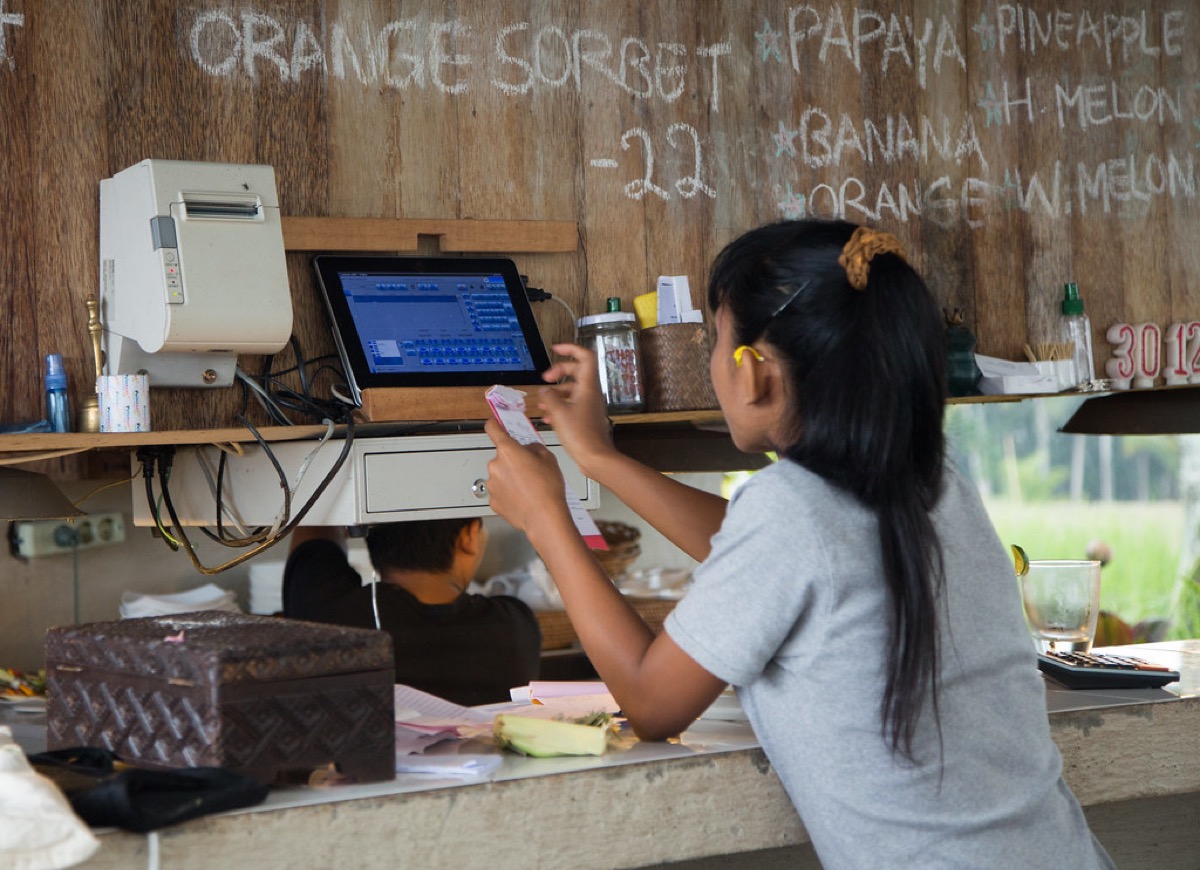
People use the terms interchangeably, but they’re not the same. A POS takes payments and fires orders to the kitchen. Restaurant management software is the whole operational stack, the POS plus everything around it. If your sales live in one place, your stock in a spreadsheet, your rota in a group chat and your customers nowhere, you have a POS and a pile of gaps, not a management system.
| Module | What it does |
|---|---|
| Point of sale | Takes payments in-store, sends tickets to the kitchen |
| Online ordering | Pickup, delivery and dine-in QR orders from your own site |
| Menu management | One menu that updates everywhere, POS, online, QR |
| Inventory | Stock levels, par levels, food cost and waste tracking |
| Staff & rostering | Schedules, roles, and access permissions |
| CRM & marketing | Customer data, loyalty, email and offers |
| Reporting | Sales, best/worst sellers, labour and margins in one view |
This is the decision that matters. Best-of-breed means picking the strongest individual tool for each job, often more powerful in any single area, but you pay several subscriptions, juggle several logins, and your data lives in silos that don’t always talk. All-in-one trades a little per-module depth for one system where POS, ordering, inventory and customers share one source of truth, which usually means less reconciling, fewer integration headaches, and one bill.
Start with the modules that hurt most today, usually POS and online ordering, then layer on inventory and the rest as you scale.
The sticker price on any one tool looks small. The trouble is that best-of-breed means paying for five or six tools that each want a monthly fee, and then paying again in time to keep them talking to each other. Here is a realistic monthly software bill for an independent cafe running separate products, next to a single all-in-one plan.
| Job to be done | Separate tool (per month) | Inside an all-in-one |
|---|---|---|
| POS software | 69 dollars | Included |
| Online ordering | 99 dollars | Included |
| Reservations | 39 dollars | Included |
| Loyalty and email marketing | 59 dollars | Included |
| Website and QR menu | 25 dollars | Included |
| Monthly total | 291 dollars | One plan, from about 89 dollars |
Both approaches still pay card processing on top, and on your own ordering Plattr takes from 2.5% per order, region-dependent. The gap that surprises owners is not the headline number, it is the hidden hours: reconciling sales that live in one app against loyalty in another, and re-keying a menu change in three places. Costing your current tools this way, then adding an honest hour or two a week of admin at your own pay rate, is usually what tips the decision. For the full list of tools a food business tends to accumulate, see our restaurant tech stack guide.
Most bad software decisions are made for the same handful of reasons. Watch for these before you sign anything.
What is restaurant management software?
Restaurant management software is the system (or set of systems) that runs the operational side of a food business, point of sale, online ordering, menu, inventory, staff scheduling, customer data and reporting. A POS is one part of it; full restaurant management software ties those parts together so your sales, stock and customers share one source of truth.
What’s the difference between a POS and restaurant management software?
A POS takes payments and sends orders to the kitchen. Restaurant management software is broader. It also handles online ordering, inventory, rosters, marketing and reporting. Some POS products bolt these on as add-ons; an all-in-one platform is built as one system from the start, which means less reconciling between tools.
Do I really need restaurant management software?
If you have a menu, staff and repeat customers, some form of it pays for itself in time and clarity. You don’t need every module on day one, start with POS and online ordering, then add inventory, rostering and marketing as you grow. The goal is fewer disconnected tools, not more software.
How much does restaurant management software cost?
It ranges from near-free starter tiers to several hundred dollars a month for large multi-site operations, plus card-processing fees. All-in-one platforms usually bundle the modules for a flat monthly fee; best-of-breed stacks cost more in total once you add up each separate subscription and the time spent connecting them.
How long does it take to set up restaurant management software?
A single all-in-one platform can usually be live in a few days: you load your menu, connect payments and print QR codes. A stitched-together stack of separate tools takes longer because each one needs its own setup and you then have to wire the integrations between them. Migrating an existing menu, staff logins and loyalty balances is the part that eats the most time, so plan the cutover for a slow trading day.
Does restaurant management software work with accounting software like Xero?
Most serious platforms either export a clean sales summary or connect directly to accounting tools such as Xero or QuickBooks, so daily takings, fees and GST flow through without re-keying. Always confirm the specific integration before you buy, and check whether it syncs automatically or needs a manual export. If tidy books matter to you, treat the accounting link as a must-have on your checklist rather than a nice-to-have.
Storefront, orders, kitchen, CRM and marketing in one place. Start free in a couple of minutes, no card needed. Pop in your email and we'll take you straight to setup.
Reprinting menus for one price change gets old fast. Build a QR code menu free in about ten minutes, and see where a static code stops and QR ordering begins.
Somewhere along the way you ended up with nine logins that do not talk. This maps the restaurant tech stack layer by layer, and what a dozen point tools really cost.
Average order value is total revenue divided by number of orders. Here is how to calculate it, why it beats chasing traffic for margin, and how to raise it.
Storefront, POS, kitchen, CRM, marketing. One login, one bill. NZ$1/month for the first 3 months.
Start free trial